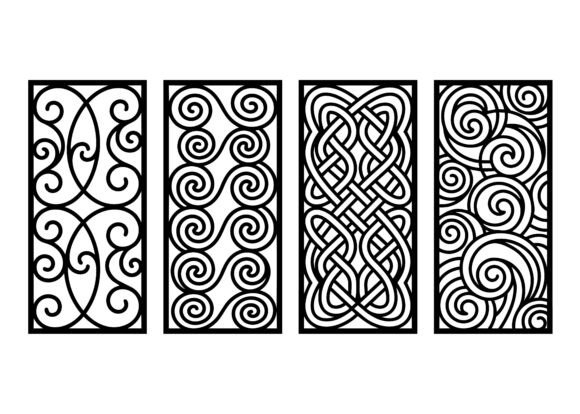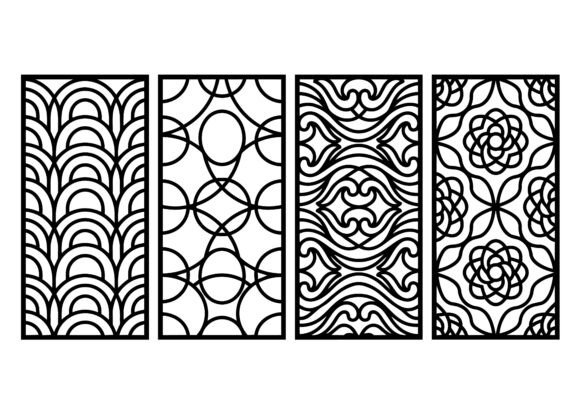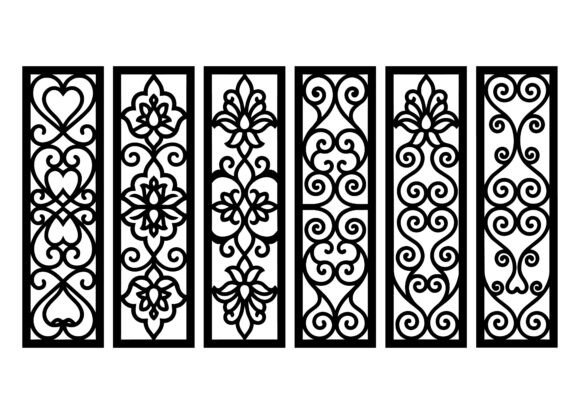
Ornamental Swirl Pattern EPS Bundle: Elegant, Scalable Vector Art for Craft & Design Professionals
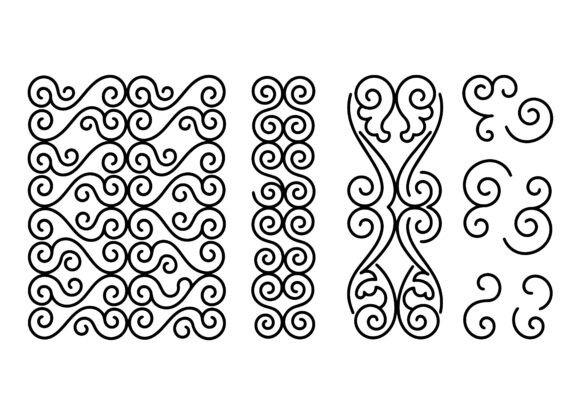
Whether you're a laser cutting enthusiast, a textile designer, a packaging developer, or a small-batch craft entrepreneur, the ornamental swirl pattern EPS bundle is more than just decorative art—it’s a versatile, production-ready design toolkit engineered for precision and elegance. At its core, this collection features flowing curves, graceful spiral motifs, and intricate scroll elements—carefully composed to repeat seamlessly in both vertical and tile-based layouts. Designed with clean, smooth vector lines, every pattern is optimized for real-world fabrication across materials like wood, acrylic, paper, fabric, and even metal.
What Exactly Is an Ornamental Swirl Pattern EPS Bundle?
An ornamental swirl pattern EPS bundle is a curated set of high-resolution, scalable vector graphics delivered in Adobe Illustrator’s native .eps format. Unlike raster images (e.g., JPEGs or PNGs), EPS files retain infinite clarity at any size—making them ideal for everything from tiny engraved monograms on jewelry boxes to large-scale wall murals or CNC-cut architectural panels.
Each pattern in the bundle emphasizes elegant flowing curves and organic rhythm—think Baroque-inspired flourishes, Art Nouveau sensibility, and modern minimalism fused into one cohesive visual language. These aren’t random doodles: they’re mathematically balanced, carefully spaced, and built with intentional negative space to ensure readability and cuttability when translated to physical media.
Why Vector Format Matters—Especially EPS
The choice of .eps isn’t arbitrary. While newer formats like SVG are popular for web use, EPS remains the gold standard for professional print, engraving, and industrial fabrication workflows because:
- Full scalability without pixelation — enlarge a 1-inch border to 10 feet, and edges stay razor-sharp;
- Native compatibility with industry software including CorelDRAW, Adobe Illustrator, AutoCAD, LightBurn, and most CNC/laser control platforms;
- Layered, editable paths — designers can easily recolor, isolate elements, or modify stroke weights without losing fidelity;
- Commercial-use readiness — no hidden fonts, embedded bitmaps, or licensing traps.
This makes the ornamental swirl pattern EPS bundle especially valuable for makers who need reliability—not just aesthetics.
Practical Applications Across Industries
The versatility of these patterns shines brightest when applied across real-world contexts. Here’s how professionals and hobbyists alike put them to work:
For Laser Cutting & CNC Engraving
Because each swirl is built from smooth, continuous vector paths, machines interpret cuts and engravings with exceptional accuracy. A wedding invitation designer might use a delicate vertical scroll as a side-border on birch plywood coasters; a signage studio could scale a bold spiral motif to 48 inches wide for a reception backdrop carved from black acrylic. No jagged edges. No unexpected breaks in the line.
In Textile & Surface Design
Seamless tiling means these patterns repeat flawlessly across fabric rolls, wallpaper sheets, or ceramic decals. A fashion brand launching a new silk scarf line could adapt a soft, vine-like swirl into a subtle all-over print—then reuse the same vector file to emboss matching gift boxes. The consistency between digital mockup and physical output reduces costly sampling rounds.
For Packaging & Brand Identity
Luxury goods—from artisanal candles to boutique cosmetics—rely on ornamental details to convey craftsmanship and sophistication. A swirling frame around a product label, or a debossed swirl on rigid kraft paper packaging, adds tactile richness. With the EPS bundle, designers skip time-consuming manual tracing or low-res clipart—and instead deploy instantly polished, brand-aligned motifs.
In Educational & Maker Spaces
Vocational schools teaching digital fabrication often struggle to source royalty-free, technically sound assets for student projects. This bundle fills that gap: students learn vector fundamentals *and* machine workflow best practices using real-world files—no “demo-only” watermarks or resolution limits.
Common Misconceptions—Clarified
Before adopting ornamental swirl patterns, it helps to clear up frequent misunderstandings:
- “Swirls are only for vintage or ‘old-fashioned’ looks.” Not true. Modern reinterpretations—thin-line monochrome scrolls, asymmetrical spirals, or geometrically hybridized motifs—fit effortlessly into contemporary branding, tech accessories, or minimalist interiors.
- “EPS files are outdated.” While SVG dominates web graphics, EPS remains essential where precision, cross-platform stability, and legacy system support matter—especially in manufacturing environments where upgrading software isn’t always feasible.
- “Any swirl pattern will work for laser cutting.” False. Poorly constructed vectors—overlapping paths, unjoined anchors, or inconsistent stroke profiles—cause mis-cuts or machine errors. This bundle is pre-validated for clean toolpath generation.
How to Use the Bundle Effectively
Getting maximum value from your ornamental swirl pattern EPS bundle involves more than dragging and dropping. Try these proven approaches:
- Start with material first. For thin paper or vinyl, choose finer, tighter swirls with narrow strokes. For thick wood or metal, opt for bolder outlines and generous spacing to prevent fragile bridges from breaking during cutting.
- Test tile alignment before mass production. Import the seamless pattern into your layout software and zoom in at 400%—look for invisible seams or subtle shifts in curve continuity. The best bundles include multiple tile variants (e.g., half-drop, mirrored, brick) to avoid repetition fatigue.
- Combine motifs intentionally. Layer a vertical scroll border over a subtle background swirl for depth—or extract individual spirals to use as standalone icons or monogram accents.
- Respect commercial license terms. Reputable bundles grant broad usage rights—including resale of physical products—but typically exclude reselling the EPS files themselves as digital assets. Always verify the included license.
Why This Bundle Fits Today’s Creative Landscape
In an era where consumers increasingly value handmade authenticity and tactile detail, ornamental design is experiencing a quiet renaissance—not as nostalgia, but as intentional contrast to flat, algorithm-driven interfaces. The ornamental swirl pattern EPS bundle meets this cultural shift head-on: it empowers creators to add human warmth, movement, and heritage-inspired grace to digitally fabricated objects.
From Etsy sellers laser-cutting personalized home décor to corporate designers refreshing luxury packaging systems, these patterns bridge tradition and technology. They don’t replace creativity—they accelerate it. Instead of spending hours redrawing a perfect spiral, you refine color palettes, experiment with material finishes, or focus on user experience—knowing your foundational ornamentation is already precise, beautiful, and production-ready.
Final Thoughts: More Than Just Decoration
An ornamental swirl isn’t merely “pretty.” It’s a functional design element rooted in centuries of visual language—from Islamic geometric borders to Rococo ceiling frescoes—now reengineered for today’s tools and timelines. The ornamental swirl pattern EPS bundle represents thoughtful curation, technical rigor, and creative flexibility in one download.
Whether you’re sketching your first laser-cut project or leading a team designing national retail packaging, investing in a high-quality, professionally crafted EPS bundle saves time, elevates output, and ensures your ornamental details carry the same care and intention as your overall vision. In short: it turns decoration into distinction—and ideas into impeccably executed reality.