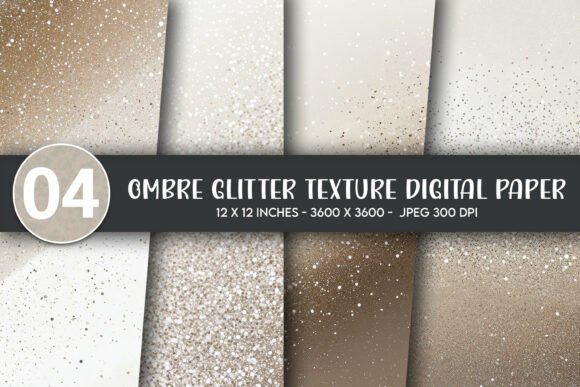
Ombre Glitter Texture Digital Paper
Ombre Glitter Texture Digital Paper is a high-fidelity design asset built for creators who need visual depth, subtle luxury, and consistent scalability—without compromising print or digital fidelity. Unlike flat solid-color backgrounds or generic glitter overlays, this resource blends smooth color transitions (ombre) with finely rendered glitter texture in a seamless, repeatable 3600×3600 pixel canvas. It’s not a filter, a Photoshop layer, or a low-res web graphic—it’s a production-ready digital paper designed to integrate cleanly into both physical product workflows and digital publishing pipelines.
What Makes This Ombre Glitter Texture Digital Paper Distinctive
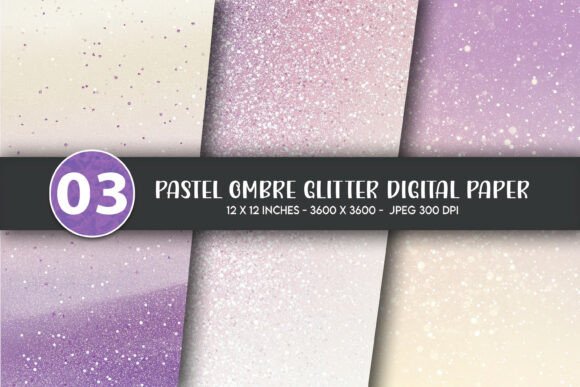
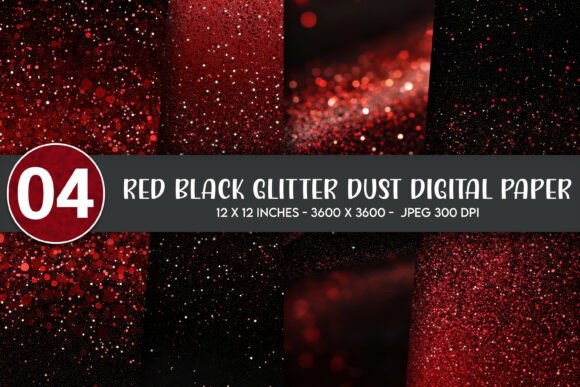
The value begins with intentionality in execution. The ombre gradient isn’t merely two colors blended; it’s calibrated for perceptual harmony—soft enough to recede gracefully behind text or illustration, yet distinct enough to add dimension. The glitter texture overlays this gradient with fine, randomized speckling—not dense or overwhelming, but tactile and luminous under light. Crucially, the glitter is baked into the image file itself, not applied as a separate layer. That means no compatibility issues across software platforms, no missing assets when sharing files, and no rendering inconsistencies between Adobe Illustrator, Canva, Affinity Designer, or Procreate.
Each of the four included JPG files offers a different tonal variation—warm rose-to-gold, cool slate-to-silver, deep navy-to-indigo, and soft ivory-to-champagne—giving designers flexibility without needing to manipulate saturation or hue manually. Because all files are delivered at 300 DPI and precisely 3600×3600 pixels, they scale reliably up to 12×12 inches at print resolution, making them suitable for wall art, posters, and framed prints without interpolation artifacts or pixelation.
Real-World Use Cases and Workflow Integration
This Ombre Glitter Texture Digital Paper performs well where visual polish matters but time and technical overhead must stay low. For small business owners producing limited-run merchandise—like custom mugs, tote bags, or throw pillows—the files drop directly into mockup templates with predictable results. No need to composite textures, adjust blending modes, or troubleshoot transparency layers. Print-on-demand platforms such as Printful, Gelato, or Redbubble accept JPGs natively, and the 300 DPI resolution meets their minimum requirements for sharp output on fabric, ceramic, and coated paper.
Educators and content creators use these papers as background layers in presentation decks, printable classroom resources, or branded social media graphics. The subtle shimmer adds sophistication without distracting from core messaging—unlike aggressive glitter effects that compete for attention. Bloggers and newsletter designers apply them as section dividers or featured content backdrops, particularly for lifestyle, wellness, or celebration-themed posts where warmth and elegance reinforce tone.
For crafters and DIY enthusiasts, the files work seamlessly in Cricut Design Space or Silhouette Studio as fill patterns for SVG cut files—ideal for greeting cards, stickers, or onesie iron-on transfers. Because the texture is embedded rather than vector-based, it retains fidelity even when resized down to 2-inch square stickers or scaled up to 24×36 inch wall art posters.
Quality, Consistency, and Long-Term Utility
At 3600×3600 pixels and 300 DPI, the resolution supports both high-end commercial printing and crisp on-screen display. Test prints on matte photo paper show accurate tonal gradation and visible—but not noisy—glitter detail. On glossy substrates, the effect becomes slightly more reflective, enhancing perceived richness without requiring special finishes or spot varnishes.
Consistency across the four files is strong: same base dimensions, identical DPI, uniform lighting direction in the texture rendering, and balanced contrast levels. That predictability reduces trial-and-error when switching between variants mid-project. There’s no noticeable banding in the gradients, no aliasing along edges, and no compression artifacts—even when opened and re-saved in standard editing software.
Long-term utility stems from format stability and broad compatibility. JPG remains one of the most universally supported raster formats, minimizing version lock-in or software dependency. Unlike layered PSDs or proprietary formats, these files open instantly in free tools like GIMP or Photopea, as well as professional suites. They also embed cleanly into PDFs for client handoffs or print-ready packaging files without external links or font dependencies.
Who Benefits Most—and When It May Fall Short
This Ombre Glitter Texture Digital Paper suits professionals and serious hobbyists who prioritize speed, reliability, and aesthetic cohesion over granular customization. Graphic designers building brand toolkits for clients appreciate having polished, on-brand background options ready for immediate use. Marketing teams launching seasonal campaigns—especially around holidays, weddings, or milestone celebrations—find the warm and metallic variants especially effective for invitations, digital ads, or email headers.
Freelancers working across multiple clients benefit from the variety: one project may call for understated elegance (ivory-to-champagne), another for bold contrast (navy-to-indigo). Educators creating printable worksheets or bulletin board sets gain visual interest without sacrificing readability—text overlays remain legible against the gradient, especially with appropriate contrast ratios and font weight choices.
That said, it’s not ideal for every scenario. Users needing transparent backgrounds must manually remove the white canvas in editing software—these are JPGs, not PNGs with alpha channels. Those requiring vector-based scalability (e.g., for infinitely resizable logos or signage) will need to convert or trace the texture, which compromises fidelity. And while the glitter is realistic, it’s not animated or interactive—so it won’t function as a dynamic web element without additional development.
Practical Recommendations for Best Results
When using this Ombre Glitter Texture Digital Paper for wall decor or posters, pair it with clean, sans-serif typography in medium to bold weights. Avoid thin fonts or overly decorative typefaces that compete with the texture’s visual rhythm. For t-shirts and onesies, test print on fabric swatches first—some dye-sublimation processes mute subtle tonal shifts, so the warmer variants often translate more consistently than cooler, lower-contrast options.
In digital applications—like website banners or social media covers—export final compositions as JPG or PNG at native size. Avoid upsampling beyond 3600×3600 unless your output platform specifically requires larger dimensions; doing so introduces softness and blurs the glitter detail.
For sticker or label production, ensure your cutting software recognizes the outer edge of the 3600×3600 frame as the bleed boundary. Since there’s no built-in bleed or trim marks, add those manually if your printer requires them. And always verify color mode: these files are RGB, appropriate for screen use and most POD services—but for offset printing, convert to CMYK only after soft-proofing to preserve gradient integrity.
Ombre Glitter Texture Digital Paper delivers focused utility: it solves a specific visual challenge—adding refined texture and dimensional color—with minimal friction. It doesn’t replace illustration, photography, or custom design—but it elevates them, quietly and consistently, across a wide range of deliverables. When your goal is polished output without extended iteration, it earns its place in a working creative toolkit.