People in Business Casual Attire Set: A Practical Asset for Visual Communication
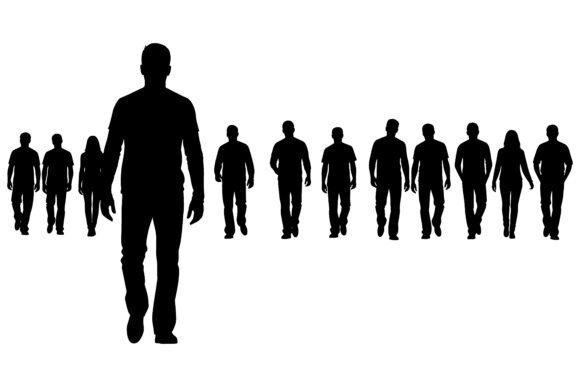
Visual consistency matters—especially when you’re building presentations, designing internal training materials, crafting marketing assets, or developing digital learning modules. The People in Business Casual Attire Set is a purpose-built collection of vector and raster assets: 1 EPS file and 1 JPG file, both featuring clean black silhouettes of people dressed in business casual attire against a pure white background. It’s not just another clipart pack. It’s a workflow-enabling resource designed for speed, clarity, and professional tone—without requiring design expertise.
Where This Set Fits Into Real Workflows
This set sits at the intersection of preparation and execution. You’ll reach for it not when you’re done planning—but when you’re ready to translate structure into visual form. Think of it as a “visual placeholder with intention”: a neutral, inclusive, and stylistically cohesive way to represent people without diverting attention from content, messaging, or data.
For example, a small business owner creating an onboarding guide might use these silhouettes to illustrate team roles—not by naming individuals, but by showing collaborative positioning (e.g., two profiles facing each other to signal dialogue, or a group of four arranged in a semi-circle to imply a meeting). A freelance instructional designer building an e-learning module on workplace communication could insert a silhouette wearing a blazer and scarf next to a text box about tone and presence—reinforcing concept without distracting with realism or identity.
How It Integrates With Other Tools and Assets
The People in Business Casual Attire Set works best when treated as part of a broader asset system—not in isolation. Its EPS format ensures full scalability and editing flexibility inside Adobe Illustrator, Affinity Designer, or CorelDRAW. That means you can recolor elements, isolate clothing layers, or adjust proportions without quality loss. The JPG version serves as a fast, universally compatible fallback for PowerPoint, Google Slides, Canva, or basic web CMS editors where vector support isn’t available.
It pairs naturally with typography systems (e.g., pairing silhouettes with sans-serif body text for clean hierarchy), icon libraries (using consistent stroke weight and negative space), and color palettes (since the black-on-white base leaves room for brand-aligned accent colors elsewhere on the page). It also complements photography-based assets—use silhouettes for conceptual slides and photos for human-centered storytelling, avoiding visual whiplash between styles.
Practical Implementation Tips
- Start with intent, not aesthetics: Before inserting a silhouette, ask: “What role does this figure play? Is it representing collaboration, authority, diversity of thought, or transition?” Choose posture and count accordingly—single profile for individual reflection, side-by-side for peer exchange, overlapping for mentorship.
- Leverage variation deliberately: The set includes twenty distinct figures—varying hairstyles, accessories (hats, glasses), clothing details (ties, layered shirts, open collars), and shoulder/head proportions. Use that variety to reflect real-world teams without resorting to stereotyped imagery. A person with a headscarf silhouette next to one with short cropped hair signals inclusion more authentically than generic “diverse” stock photos.
- Preserve white space intentionally: Because all figures sit on a white background, they integrate seamlessly into light-themed layouts. But don’t overcrowd. Use generous margins and consistent alignment to maintain readability—especially when combining with bullet points or data visualizations.
- Repurpose across formats: Resize the EPS for print handouts (brochures, workshop worksheets) and scale the JPG for social media carousels or email headers. Since both files share identical composition and cropping, switching between them maintains visual continuity—even mid-project.
Compatibility and Usability Considerations
Unlike photorealistic images, silhouettes avoid issues around model releases, cultural misrepresentation, or dated fashion cues. They’re timeless in application—not tied to a specific year, trend, or demographic assumption. That makes them especially useful for long-lived assets: compliance training decks, HR policy documents, or company-wide process maps that need updating every 18–24 months.
They’re also highly accessible in practice. Screen readers ignore purely decorative images, and since these are used as structural or conceptual cues—not informational content—their absence in assistive tech doesn’t compromise meaning. When paired with clear alt text like “silhouette of person in blazer and shirt, representing leadership role,” they meet WCAG 2.1 guidelines without over-engineering.
Efficiency and Quality Control in Practice
Time saved here isn’t just about dragging-and-dropping. It’s about eliminating decision fatigue: no debating which photo “feels right,” no licensing checks, no cropping or background removal. With this set, you know exactly what you’re getting—black, white, scalable, consistent—and how it will behave across platforms.
That predictability supports quality control. If your brand guidelines specify 12-pt spacing between visual elements and body copy, you can build a reusable template using these silhouettes and enforce it across dozens of documents. No variance in resolution, shadow, lighting, or expression to reconcile. Just reliable, repeatable visual grammar.
Long-Term Use and Scalability
Because the EPS file retains full editability, you can adapt the set as your needs evolve. Add a subtle gradient overlay to indicate priority. Convert a single silhouette to grayscale and layer it behind a colored shape to create depth. Extract a hat or tie element and reuse it as a standalone icon in a legend key. These aren’t one-off illustrations—they’re modular components.
Teams benefit most when the set becomes shared vocabulary. A marketing manager, a learning specialist, and a product lead all using the same silhouette library develop intuitive alignment: seeing a particular pose or accessory combination starts to carry shared meaning (“that’s our ‘customer listening’ frame”). Over time, that reduces explanation overhead and speeds up cross-functional reviews.
Real-World Integration Examples
- Educators: Insert a silhouette wearing glasses and holding a notebook beside a discussion prompt in a virtual classroom slide—signaling active engagement without identifying any student.
- Entrepreneurs: Use three varied silhouettes in a pitch deck to visualize customer segments—not as demographics, but as behavioral archetypes (e.g., “the early adopter,” “the cautious evaluator,” “the internal champion”).
- Freelancers: Build a service page where each offering (consulting, workshops, content strategy) pairs with a relevant silhouette—blazer + tablet for digital strategy, open shirt + headset for facilitation—to reinforce service personality before the first sentence is read.
- Bloggers and publishers: Replace generic author avatars with context-appropriate silhouettes (e.g., a person with a headset and laptop for a post on remote work tools; one with a notebook and pen for reflective writing tips).
The People in Business Casual Attire Set doesn’t replace photography or custom illustration—it fills a precise gap where neutrality, speed, and professionalism converge. It’s most valuable when you need to communicate structure, relationship, or role—not biography or emotion. Used with intention, it becomes invisible infrastructure: supporting clarity, reinforcing consistency, and quietly elevating how your ideas land.