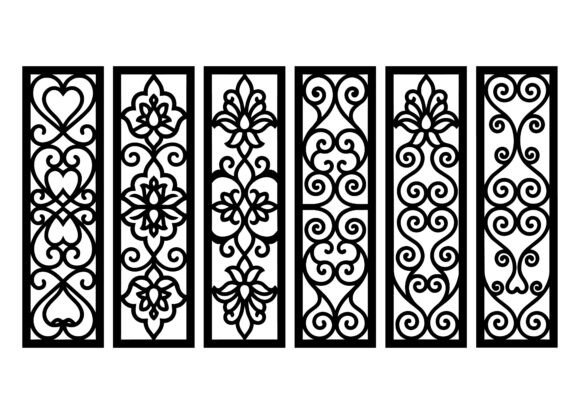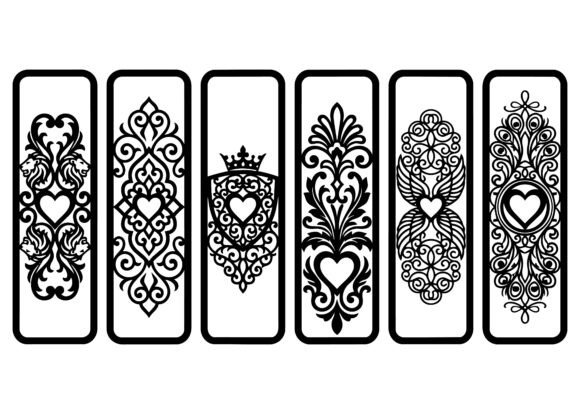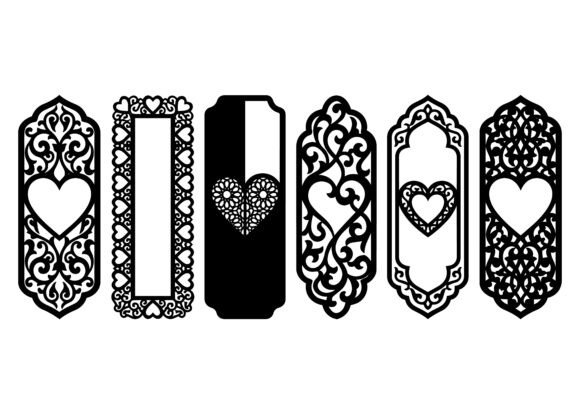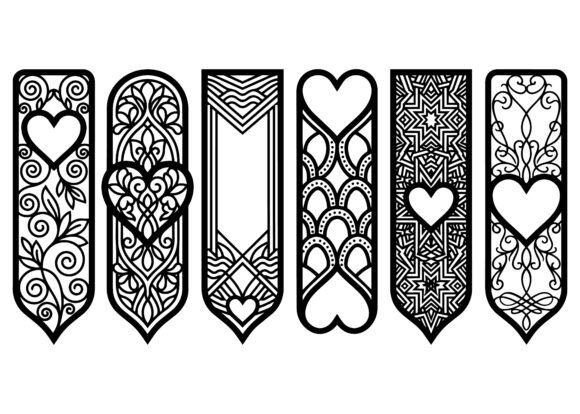
Elegant Heart Pattern Bookmark EPS Bundle
The Elegant Heart Pattern Bookmark EPS Bundle is a precision-crafted collection of vector-based designs built for creators who value both aesthetic refinement and functional versatility. Each file features vertical-oriented compositions—centered on heart motifs interwoven with geometric symmetry, flowing linework, and ornamental balance. These aren’t decorative afterthoughts; they’re production-ready assets engineered for accuracy, scalability, and material fidelity.
What sets this bundle apart isn’t just visual appeal—it’s how it integrates into real-world workflows. Whether you're preparing Valentine’s Day product lines, designing wedding stationery suites, or developing luxury accessories for retail, the Elegant Heart Pattern Bookmark EPS Bundle functions as a foundational element—not an isolated graphic, but a repeatable, adaptable component that supports consistency across touchpoints.
Where It Fits in Your Creative Process
This bundle operates most effectively when treated as a *pre-production asset*. Before laser cutting begins, before print runs are approved, before prototypes move to manufacturing—these EPS files serve as the calibrated starting point. Their clean vector paths ensure no pixelation at any scale, and their precise anchor points eliminate guesswork during CNC setup or engraving calibration.
For designers working in Adobe Illustrator or CorelDRAW, the files import without conversion loss. For makers using LightBurn, RDWorks, or Fusion 360, the scalable nature means minimal path cleanup—just assign kerf compensation and material settings. That saves time not only in setup but also in quality control: fewer test cuts, less material waste, faster iteration cycles.
Material Compatibility Is Built In—Not Added On
Each design in the Elegant Heart Pattern Bookmark EPS Bundle was conceived with multi-material execution in mind. The line weights, spacing, and negative-space ratios were tested across wood (balsa, birch plywood), acrylic (3–6mm cast and extruded), leather (1.2–2.0mm full grain), paper (cardstock and vellum), and thin-gauge metals (brass, copper, stainless steel shims). This isn’t theoretical compatibility—it’s operational readiness.
For example, when cutting birch plywood bookmarks, the subtle taper in heart contours prevents charring at tight corners. When engraving acrylic, the consistent stroke width avoids thermal buildup. When embossing leather, the balanced density of ornamentation ensures even pressure distribution without tearing. You don’t need to adjust the design—you adjust your machine parameters, and the asset delivers.
Workflow Integration Examples
Small business owner launching a Valentine’s gift line: Use one base design from the bundle as the structural template for all physical products—bookmarks, gift tags, box liners, and wax seal stamps. Maintain brand cohesion by applying the same color palette and foil finish across formats. Because all files share identical proportions and alignment points, mockups in Canva or Adobe Express stay consistent without manual resizing.
Wedding stationer building custom suites: Layer a heart pattern over vellum overlays or incorporate it into monogram frames. Export individual elements as SVG for digital invitations while retaining the original EPS for printed inserts. The vector integrity means no re-tracing is needed when switching between digital and physical output channels.
Educator creating classroom resources: Print scaled-down versions on cardstock for student reading trackers. Use the same file—unmodified—to generate tactile learning tools via low-power laser cutters in makerspaces. Students can personalize bookmarks with colored pencils or watercolor washes because the linework remains crisp and legible at any size.
Preparation and Organization Best Practices
Before importing into your workflow, organize the files thoughtfully. Rename each EPS with descriptive tags: heart-ornate-vertical-01_eps, heart-geometric-thin-line-03_eps. Avoid generic names like “design1.eps”—they create friction during batch processing or client handoffs.
Create a master folder with subfolders for source_files, cut_settings (with .rd, .lbx, or .gcode presets saved per material), and output_samples (scanned test cuts or photographed finished pieces). This structure supports version control and makes onboarding freelancers or interns faster—no reverse-engineering required.
Also consider embedding metadata: add copyright notices, usage notes, and compatible software versions directly into the EPS file properties. Most vector editors support this, and it helps maintain attribution and licensing clarity—especially important if you’re reselling finished goods under your own brand.
Efficiency Gains Beyond Aesthetics
Time savings accumulate quietly. With the Elegant Heart Pattern Bookmark EPS Bundle, there’s no need to redraw motifs for different applications. No need to trace raster images. No need to source disparate assets from multiple marketplaces and reconcile inconsistent line weights or spacing.
One designer reported reducing bookmark prototyping time from 4.5 hours to under 45 minutes per variant—simply by swapping base patterns instead of rebuilding from scratch. Another small-batch leather artisan cut her pre-cut layout phase in half by using the bundle’s standardized dimensions to pre-align dies and templates.
That efficiency compounds when scaling. If you produce 500 bookmarks per month, shaving five minutes off setup per batch equals nearly 42 hours saved annually—time redirected toward customer service, packaging refinement, or new product development.
Long-Term Usability and Consistency
Vector files age well—but only if managed intentionally. Store backups in at least two locations: local SSD and encrypted cloud storage with version history enabled. Avoid editing directly in shared drives; always work from copies. This preserves the original EPS files as canonical references, ensuring future projects start from the same high-fidelity baseline.
As your brand evolves, revisit the bundle not as static decoration but as a modular system. Rotate patterns seasonally—use bolder, denser hearts for holiday collections; lighter, openwork variants for spring launches. Because all files share the same vertical orientation and proportional logic, transitions feel intentional, not disjointed.
Consistency also extends to client communication. When presenting concepts, show the same heart motif across three contexts: a bookmark mockup, a laser-cut leather tag, and a foil-stamped invitation corner. Clients grasp continuity faster—and approve faster—when visual language remains coherent across formats.
Final Implementation Tip: Start Small, Scale Intentionally
Don’t try to use every design at once. Pick one that aligns with your next immediate project—whether it’s a set of 25 handmade bookmarks for a local bookstore event or a limited-run wedding favor package. Run a single-material test: cut it in basswood, then in matte acrylic, then in heavyweight cotton paper. Note where adjustments matter most—corner speed on wood, power ramp on acrylic, registration tolerance on paper.
Document those observations. Then expand: apply what you learned to the next design in the bundle. That iterative approach builds muscle memory, reduces errors, and turns a simple asset into a reliable part of your creative infrastructure.
The Elegant Heart Pattern Bookmark EPS Bundle doesn’t replace skill or judgment—it amplifies them. It meets you where your process actually lives: in the space between idea and execution, between prototype and production, between craft and commerce. Used deliberately, it becomes less of a download and more of a working partner—one that holds its shape, honors your materials, and stays ready for whatever comes next.