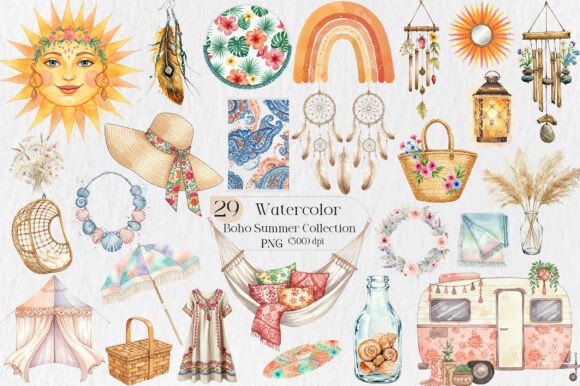
Blush Watercolor Floral Elements: Smart, Flexible Design Assets for Real Projects
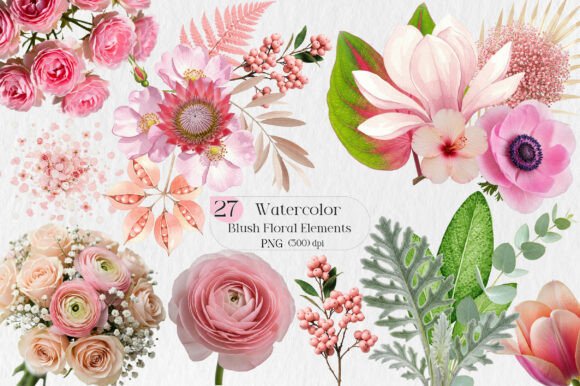
If you've ever spent hours searching for soft, elegant floral graphics that actually work—without licensing headaches or pixelated edges—you’ve likely landed on Blush Watercolor Floral Elements. These aren’t generic clipart packs or overused stock vectors. They’re 27 hand-crafted, high-resolution PNG files with true transparent backgrounds—designed to blend seamlessly into real-world creative work, from small-batch product labels to digital planners and boutique greeting cards.
Why creators choose this set—and why “just downloading” isn’t enough
Many designers assume that once they click “buy,” the work is done. But with digital design assets, the real value unfolds only when you understand how the files behave in your workflow—and what limitations (or freedoms) they actually offer. For example, some users expect layered PSD files or vector (SVG/AI) versions, but Blush Watercolor Floral Elements delivers optimized PNGs. That’s intentional: PNGs preserve delicate watercolor texture and subtle blush gradients far better than flattened JPEGs—and load instantly in Canva, Adobe Express, Procreate, or Cricut Design Space. But it also means you won’t be resizing a single element to billboard scale without checking resolution first.
Another common misstep? Assuming “commercial use” means unlimited redistribution. It doesn’t. You’re fully allowed to print these on mugs, embroider them onto tote bags, or embed them in your client’s branded newsletter—but you can’t resell the PNG files as-is, upload them to free graphic sites, or include them unaltered in a template bundle you sell. That restriction protects both the artist and your own brand integrity. When your customer sees a watercolor rose on their birthday invitation—and later spots the *exact same file* on a competitor’s Etsy listing—it dilutes uniqueness. The solution? Add your own layer: hand-lettered text, custom color overlays, or collage-style arrangements that make the final piece unmistakably yours.
What to verify before you download—or design around it
Before adding Blush Watercolor Floral Elements to a live project, pause and check three practical things:
- File dimensions and DPI: Each PNG is high-resolution (300 DPI at typical print sizes), but if you plan to scale a 2,400×2,400 px bloom to fill a 48" canvas print, test output first. Upscaling beyond native size risks softness—not because the file is low quality, but because watercolor textures rely on fine detail.
- Background transparency: Yes, every file has a transparent background—but open one in Preview or Windows Photos to confirm. Some apps display transparency as gray or white by default, which can mislead you into thinking there’s a hidden layer or border. A quick check in Photoshop (Layer > Layer Mask > Reveal All) or even Canva’s “Remove Background” tool (which should do nothing) confirms it’s truly clean.
- Your platform’s export behavior: Print-on-demand services like Printful or Redbubble sometimes auto-convert PNGs to JPEG during upload—flattening transparency. Always preview the mockup *before* ordering a sample. If the blush tones look washed out or edges appear jagged, re-upload using the site’s “PNG with transparency” option (often buried in advanced settings).
Real uses—and why “crafty” doesn’t mean “limited”
This set shines where subtlety matters: a linen pillowcase with a single trailing vine; a minimalist wedding planner with faint watercolor corner accents; a teacher’s classroom reward chart softened by delicate blossoms. One small business owner used five elements to create a cohesive suite—thank-you cards, email headers, and Instagram story highlights—all unified by the same blush tone and organic stroke rhythm. No designer needed. No monthly subscription. Just consistent, ownable visual language.
Beginners often overlook how much time these files save on sourcing and editing. Instead of hunting across three sites for a matching rose, leaf, and bud—and then spending 20 minutes removing backgrounds manually—you get all 27 ready-to-place assets. Professionals appreciate the uniformity: same paper texture simulation, same light saturation, same artistic intent. That cohesion builds trust faster than mismatched elements ever could.
Avoiding the “set-and-forget” trap
One overlooked risk? Treating the pack as decoration instead of design material. Dropping a floral frame around your logo without adjusting opacity, spacing, or contrast can make the whole layout feel cluttered—not curated. Try this instead: pick one dominant element (say, the large peony) as your anchor, then use smaller sprigs only as directional cues (e.g., guiding the eye toward a call-to-action button). Or invert the usual approach: place text *over* a watercolor wash, then lower its opacity to 15–20% so the texture whispers beneath—not shouts.
Also, don’t skip testing across devices. That soft blush tone may read as dusty pink on an older iPad screen but appear nearly nude on a calibrated monitor. If color accuracy is critical (e.g., for brand-aligned merchandise), pull a physical proof before bulk printing—even if it’s just a $2 laser-printed test sheet.
Instant download—yes, but know what you’re getting
“INSTANT DOWNLOAD” means no waiting—but it also means no physical item arrives, no email follow-up with usage tips, and no automatic license renewal. You receive exactly what’s listed: 27 PNGs, commercial rights included, no subscription required. If your download fails, contact support immediately (they respond quickly)—but first, check your spam folder and browser pop-up blocker. Many “missing file” issues resolve with a simple refresh or trying a different browser.
Lastly: leave a review if the set works well for your project. Not because the seller asks—but because future creators rely on honest, specific feedback (“Used the eucalyptus stem on ceramic mugs—held up beautifully after dishwasher testing”) far more than star ratings alone. That kind of detail helps everyone make smarter choices—starting with you.