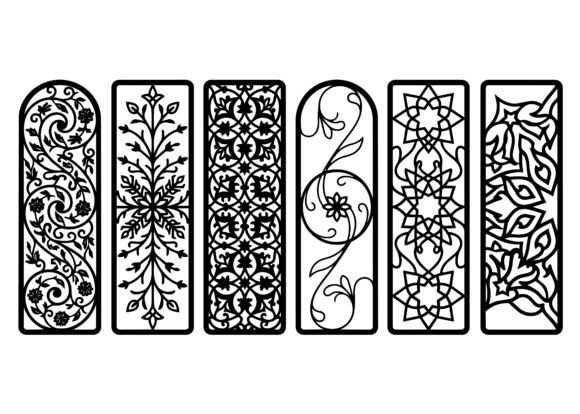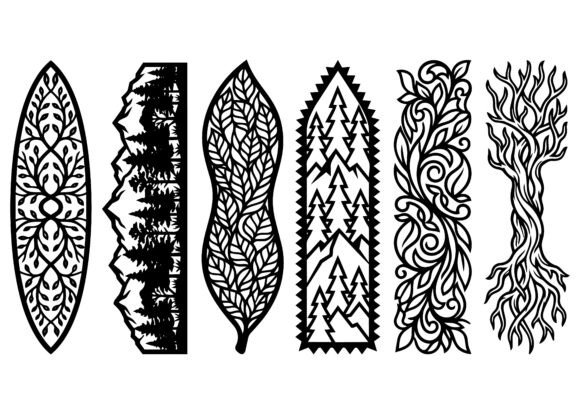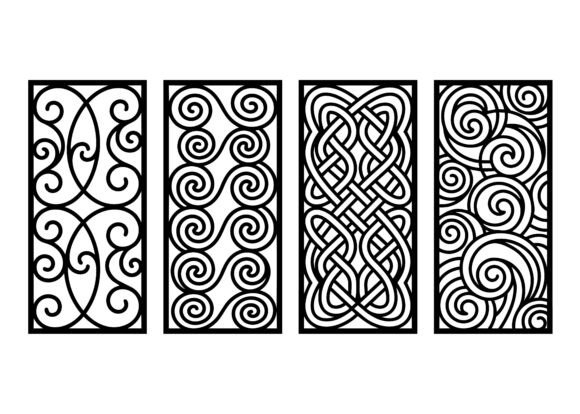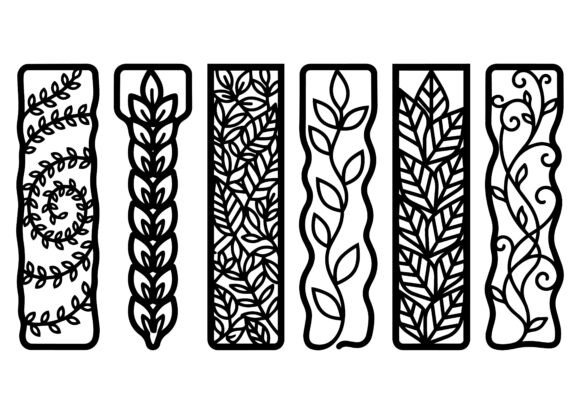
Ornate Bookmark Design EPS Bundle
If you’ve ever spent hours searching for a single elegant vector file—only to find it pixelated, locked, or missing critical layers—you know how frustrating it is to start a craft project with compromised assets. The Ornate Bookmark Design EPS Bundle solves that exact problem. It’s not just another collection of pretty shapes. It’s a purpose-built set of high-fidelity, fully editable vector files—each designed from the ground up for precision cutting, clean printing, and real-world versatility.
What You’re Actually Getting (and Why It Matters)
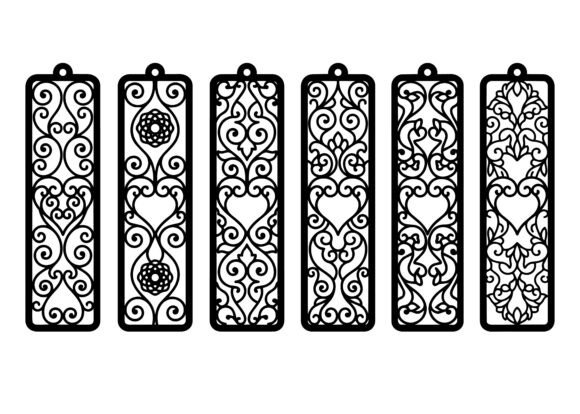
This bundle delivers 20+ ornate vertical tag-shaped designs in EPS format—scalable to any size without quality loss, compatible with Adobe Illustrator, CorelDRAW, Inkscape, and most laser cutter/CNC software (like LightBurn or RDWorks). Each design features symmetrical arabesque floral patterns, delicate scrollwork, and balanced ornamental details—all drawn with smooth, clean vector lines. No raster fills. No embedded bitmaps. No hidden clipping masks blocking your edits.
That means when you import one into your workflow, you can instantly adjust stroke weight, recolor individual elements, isolate petals or vines for selective engraving, or convert outlines to paths for kerf compensation on wood or acrylic. It’s built for doing—not just displaying.
Real Uses—Not Just “Ideas”
You don’t need to be a professional designer to get value from this bundle. Here’s where people actually use it—and why it fits seamlessly:
- Small-batch wedding stationers use the symmetrical floral tags as elegant favor labels—laser-cut from pearlescent cardstock, tied with silk ribbon, and placed beside champagne flutes. One user told us she printed 120 in under 90 minutes using a Glowforge, then hand-foiled the borders for extra luxury—no custom illustration needed.
- Local bookstore owners print them on thick cotton paper, punch a hole at the top, and attach leather cord—turning them into branded bookmarks customers take home after author events. They double as mini gift tags for signed copies, helping drive repeat visits and social shares.
- Hobbyists with a diode laser cut the same design across three materials in one job: thin walnut veneer for rustic bookmarks, translucent acrylic for modern desk accessories, and vegetable-tanned leather for personalized journal inserts—all from the same EPS file, no re-tracing or resizing.
- Classroom teachers adapt the simpler motifs for student art projects—resizing them for stencils, converting to SVG for classroom Cricut machines, or projecting them onto whiteboards for pattern-drawing lessons in symmetry and Islamic art history.
- Content creators and bloggers embed the vectors into Canva or Figma to build cohesive Pinterest pins, printable reading challenge trackers, or themed email headers—keeping visual continuity across platforms without licensing headaches.
Why Format Choice Changes Everything
EPS isn’t trendy—it’s functional. Unlike JPEGs or PNGs, EPS preserves vector data, layer structure, and editable paths. That matters when you’re adjusting for material thickness: a 1.5mm acrylic sheet needs slightly wider internal cuts than 3mm basswood. With raster files, you’d have to manually redraw or risk jagged edges. With these EPS files, you simply scale the stroke or offset the path—then send it straight to your machine.
It also means compatibility across generations of software. A freelance graphic designer using Illustrator CC can share the same file with a maker using Affinity Designer or a small business owner running an older version of CorelDRAW—no conversion errors, no missing fonts, no broken gradients.
Who Benefits Most—and How
Freelancers and small studios save time on client revisions. Instead of redrawing floral borders for every new color scheme or layout, they tweak fills and spacing directly in the EPS—delivering polished mockups faster. One book cover designer reported cutting her revision cycle by 40% when using these as base elements for foil-stamped spine accents.
Educators and librarians use the symmetry and repetition in the arabesque patterns to teach geometry concepts—measuring angles in scrollwork, identifying rotational symmetry in floral rosettes, or comparing proportion across scaled versions. Students print and trace them, then discuss how ornamentation functions across cultures—making abstract math and art history tactile and relevant.
Entrepreneurs launching craft kits build packaging around these designs: die-cut boxes with engraved floral panels, instruction cards with matching corner flourishes, even QR-coded tags linking to video tutorials—all sourced from the same consistent visual language. Consistency builds trust. Scalability keeps production flexible.
What to Consider Before You Use It
While the Ornate Bookmark Design EPS Bundle works across many contexts, success depends on matching the file to your tools and goals. If you’re new to vector editing, spend 15 minutes opening one file in Illustrator and exploring the Layers panel—notice how decorative vines sit on separate layers from central medallions. That structure lets you hide, lock, or recolor elements independently.
If you’re using a CNC router or CO₂ laser, check your machine’s native import settings. Some require saving EPS as PDF first; others handle it natively. Always run a test cut on scrap material—even with clean vectors, kerf and focus vary by material density and age of your lens.
And while all designs are commercially licensed for physical products (bookmarks, favors, apparel tags), remember that resale of the EPS files themselves—as standalone digital assets—is prohibited. You’re buying production-ready building blocks, not redistributable source code.
More Than Decoration—A Practical Starting Point
These aren’t “just” bookmarks. They’re modular design systems—each file a foundation you can extend, simplify, combine, or reinterpret. A teacher might extract a single vine motif to create custom handwriting practice sheets. A jewelry maker could resize a central rosette, add jump rings, and turn it into a pendant template. A marketing manager might isolate a border element to frame testimonials in a sales deck.
That flexibility comes from intentional design—not accidental convenience. Every curve has purpose. Every symmetry supports adaptability. Every line is optimized for both visual elegance and machine-readiness.
So whether you're laser-cutting 50 bookmarks for a craft fair, designing branded materials for a literary festival, or helping students explore pattern-making in a makerspace—the Ornate Bookmark Design EPS Bundle doesn’t ask you to work around it. It meets you where you are, with clean lines, real-world readiness, and quiet, confident utility.