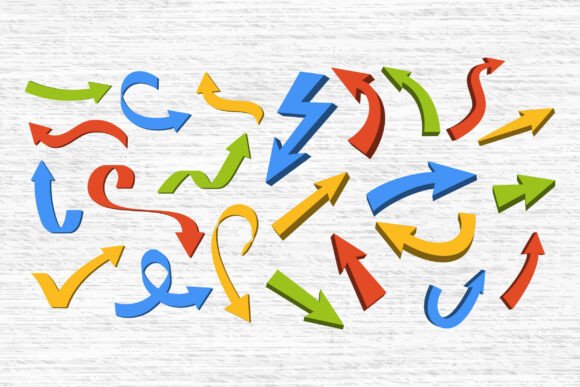
Color Arrow Icons: Curved Directional
When visual clarity matters—whether you’re guiding a user through a mobile app, explaining a cyclical process in a classroom, or designing a custom vinyl decal for a small business—the right arrow doesn’t just point. It communicates intent, rhythm, and flow. Color Arrow Icons: Curved Directional delivers exactly that: a thoughtfully curated set of 23 red curved, circular, and directional arrows built for real-world versatility—not just decoration.
Why Curved Arrows Stand Out in Visual Communication
Straight arrows signal linear progression—“go here,” “next step.” But many ideas aren’t linear. Think of feedback loops in education, customer journey maps in marketing, or ingredient cycles in sustainability infographics. Curved arrows visually encode continuity, return, rotation, and relationship. They soften transitions, suggest motion without rigidity, and add subtle energy to static layouts. Unlike generic clipart, these icons use consistent stroke weight, balanced proportions, and intentional negative space—making them legible even at small sizes in UI interfaces or dense presentation slides.
Designers Get Precision Without Compromise
If you work across platforms—Adobe Illustrator for branding mockups, Figma for interactive prototypes, or Cricut Design Space for physical products—you need assets that retain fidelity and flexibility. Each icon in the Color Arrow Icons: Curved Directional bundle ships as SVG, PNG, PDF, EPS, AI, and DXF. That means no pixelation when scaling a circular arrow for a 48” trade show banner, no transparency issues when layering a curved pointer over a gradient background in Canva, and no import failures when prepping files for a Silhouette Studio Basic Edition cut job.
The SVGs are cleanly layered and named (e.g., “arrow-clockwise-30deg”, “double-curved-loop”), so you can quickly locate the right variant—no hunting through unlabeled layers or guessing at rotation angles. The red color is applied as a solid fill (not a gradient or effect), ensuring predictable results whether you’re exporting to print-ready PDF or adjusting hue via CSS variables in a web component.
Practical Uses Across Real Workflows
Educators use the circular arrows to illustrate scientific processes—like the water cycle or photosynthesis—on classroom posters or digital handouts. Because the PNGs include transparent backgrounds, they drop cleanly into Google Slides or PowerPoint without white boxes disrupting clean layouts.
Marketers and content creators embed these icons into Instagram carousels explaining multi-step offers (“Sign up → Verify → Unlock”) or TikTok graphics showing product feature flows. The curved variants help avoid visual monotony when multiple directional cues appear on one screen—something straight arrows often exacerbate.
Small business owners and crafters rely on the DXF and SVG files for precise cutting with Cricut or Brother ScanNCut machines. A café owner might cut a gentle clockwise arrow from red vinyl to label a “Take a Look Around” wall graphic; a wedding planner could layer a subtle curved arrow onto a transparent acrylic place card to guide guests toward seating. No raster distortion, no alignment guesswork—just crisp, repeatable output.
What Makes These Icons More Than Just “Another Arrow Pack”
It’s not just about quantity—it’s about curation. This isn’t a collection of 100+ similar shapes with minor rotations. Each of the 23 icons serves a distinct functional role: some curve 90°, others 180° or 360°; some feature dual heads for bidirectional emphasis; a few combine curvature with subtle tapering to imply acceleration or focus. There’s even a “spiral-in” variant ideal for highlighting progressive onboarding steps in SaaS dashboards.
And because all files share the same visual language—consistent line thickness, corner radius, and anchor placement—they integrate seamlessly into existing design systems. You won’t find yourself adjusting stroke weights or repositioning baselines just to make one icon match your brand guidelines.
Considerations Before You Download
This bundle uses a single vibrant red (#E53935) as its base color. That works beautifully for high-contrast contexts—think warning banners, call-to-action buttons, or attention-grabbing infographics. But if your project requires strict brand-color matching (e.g., Pantone 185C or a custom hex), you’ll need to recolor the vectors manually in Illustrator or Inkscape. The files support this easily—no embedded effects block editing—but it’s a small step worth noting.
Also, while the icons excel in modern, minimal contexts, they’re less suited for vintage, hand-drawn, or ultra-thin minimalist aesthetics. If your brand leans heavily into sketch-style illustration or ultra-light line art, these bold, confident curves may stand out too strongly. In those cases, pairing them with neutral typography and ample whitespace helps maintain harmony.
Who Benefits Most—and Why
Freelance designers preparing pitch decks for clients appreciate how quickly these icons clarify complex service workflows—no need to build custom illustrations from scratch. Educators building LMS modules save hours sourcing accessible, scalable assets that meet WCAG contrast standards. Social media managers creating weekly tip series find the curved arrows ideal for illustrating non-linear growth concepts (“Learn → Apply → Reflect → Refine”). Even developers embedding simple directional cues into documentation sites benefit from the clean SVG structure—lightweight, responsive, and screen-reader friendly when paired with proper ARIA labels.
At its core, Color Arrow Icons: Curved Directional solves a quiet but persistent problem: the gap between conceptual flow and visual shorthand. It gives shape to movement that isn’t straight—and does so with technical reliability and aesthetic cohesion. Not every project needs a curved arrow. But when yours does, having 23 rigorously designed, production-ready options—each tested across software, scale, and medium—means less time troubleshooting and more time communicating clearly.